A brief guide to getting started with PrivateFlare without unnecessary details.
Account#
You need to register on the platform and activate your account. An activation link will be sent to your email. Following this link grants access to your activated dashboard.
Activation is mandatory. You will not be able to start working without it!
VPS#
Ordering#
You need to purchase a virtual server from a hosting provider. Any VPS on any virtualization will work. Recommended operating systems include Rocky 8-9, CentOS 8-9, and Debian 10-11. It is critically important to use only clean images without pre-installed software.
System requirements vary depending on the load:
- Minimal traffic volumes (up to 1,000 visits daily) — any server will do
- Medium volumes (1,000-5,000 visits) — at least 2 GB of RAM, costing approximately $4-5
- High volumes — 4 GB RAM and 4 CPU cores or more
- Exceptionally high volumes — contact support for consultation
Connecting a Node#
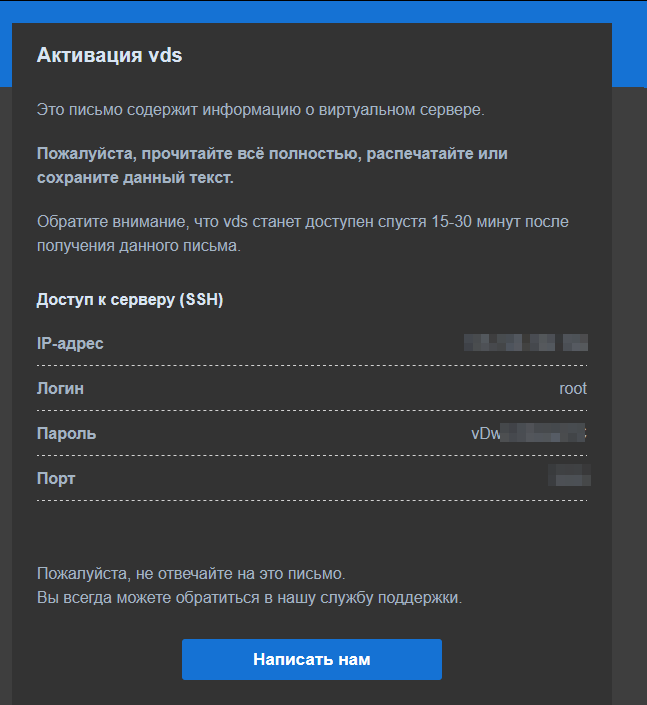
After the server is activated, login credentials are sent to your email.
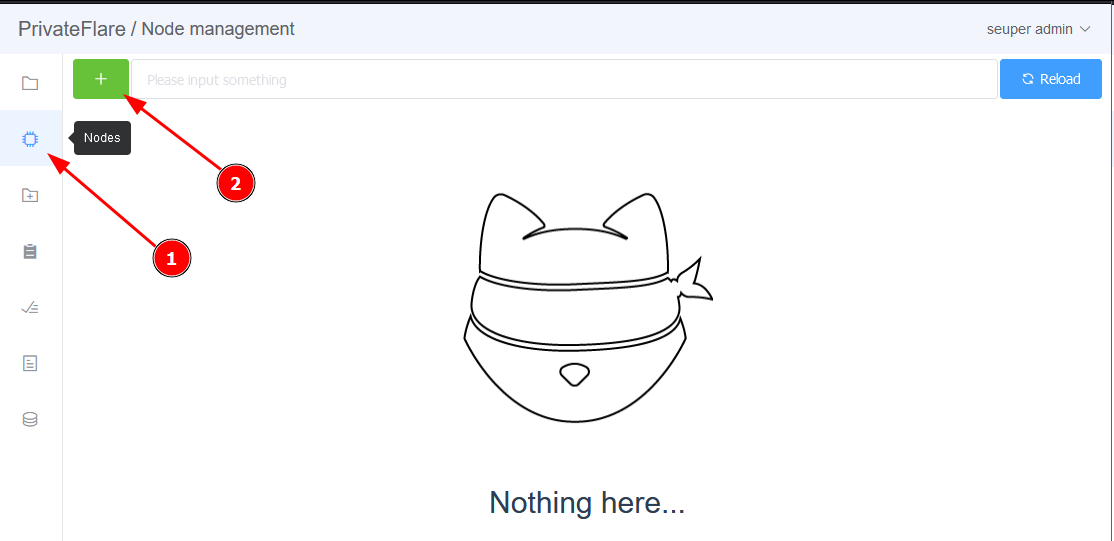
Connection is made via SSH. In the dashboard under the “Nodes” section, click the button to add a new node, copy the provided command, and paste it into the server terminal.
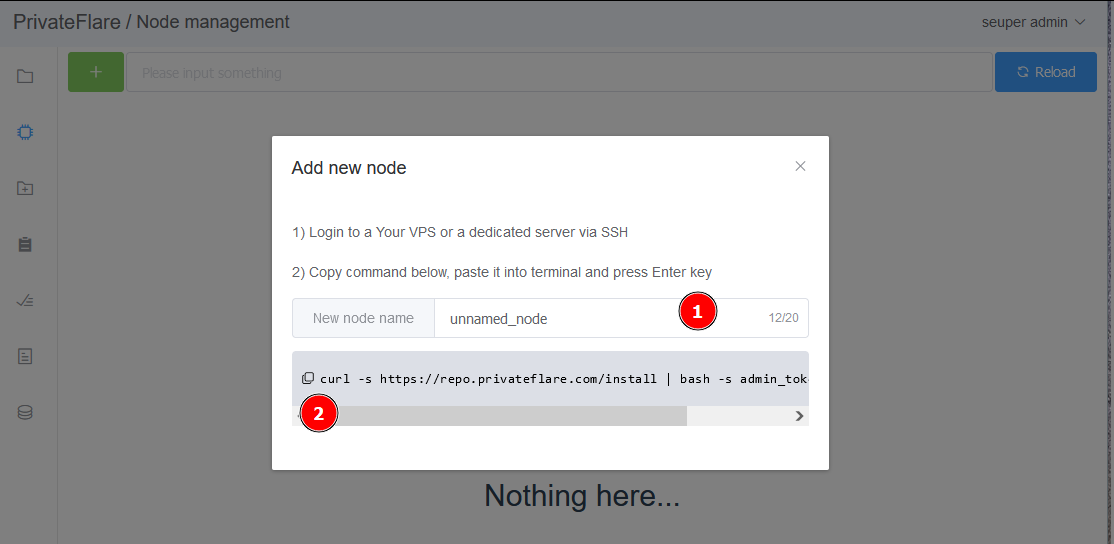
The installation process takes about 20 seconds.

The new node will appear in the dashboard in approximately one minute.
In your domain registrar, you need to delete all DNS records and add an A record with the node’s IP address.
All your domains will be accessible through ANY of your nodes!