Quick Check#
Each domain in the service responds to the certificate generation service ping at:
http://<domain>/.well-known/acme-challenge/pingThe expected response is “pong”. This is useful for verifying domain configuration.
Node#
Check node availability by opening the node’s IP in a browser. A correct response means the node is running, connected to the master, and ready to handle traffic.
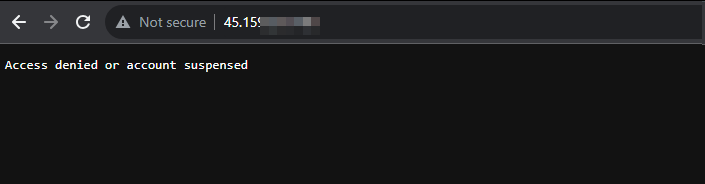
If you get a different response — reboot the node via your hosting panel or contact support.
Domain Verification#
Whois#
Verify that the domain is active using whois. A live domain shows current registration data; an inactive one shows expiration notices.
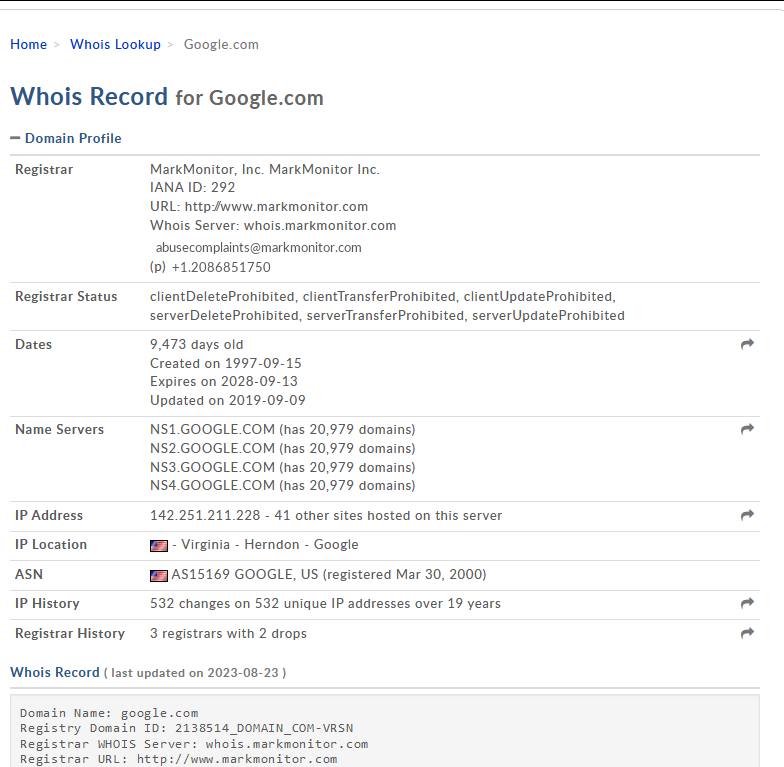
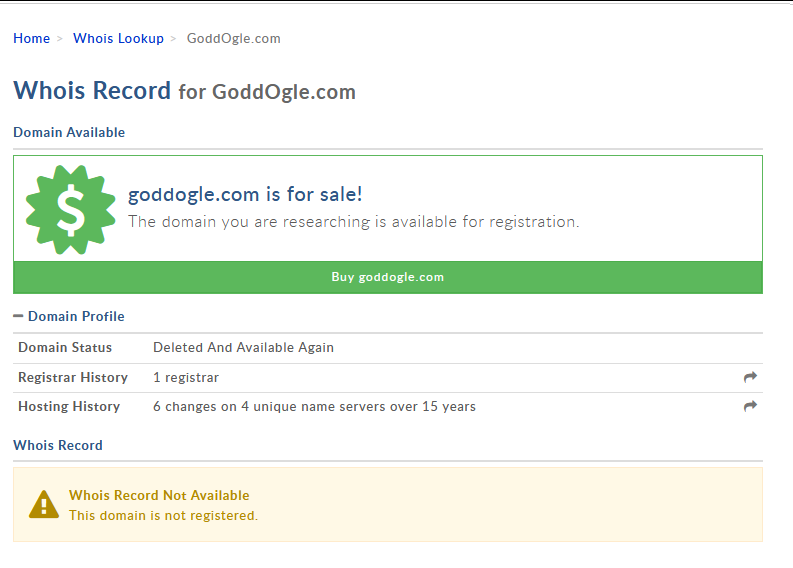
Note: deactivated domains may still appear as active in whois but no longer function.
Ping#
To confirm the domain is working, run a ping from the console:
- Windows: press Windows+R, type “cmd”, press OK
- macOS: open Launchpad, search for “Terminal”, open it
Type ping <your-domain>
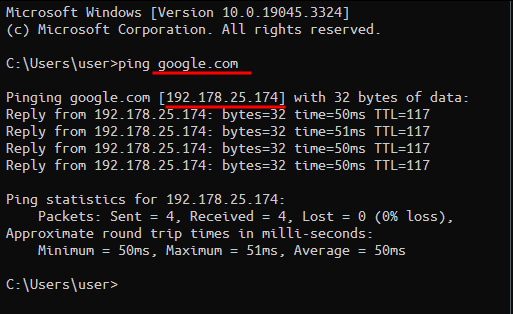
Important: the responding IP must match your node’s IP. If the IP is different — the domain may have been removed from the system or the DNS records are configured incorrectly.
NS Records#
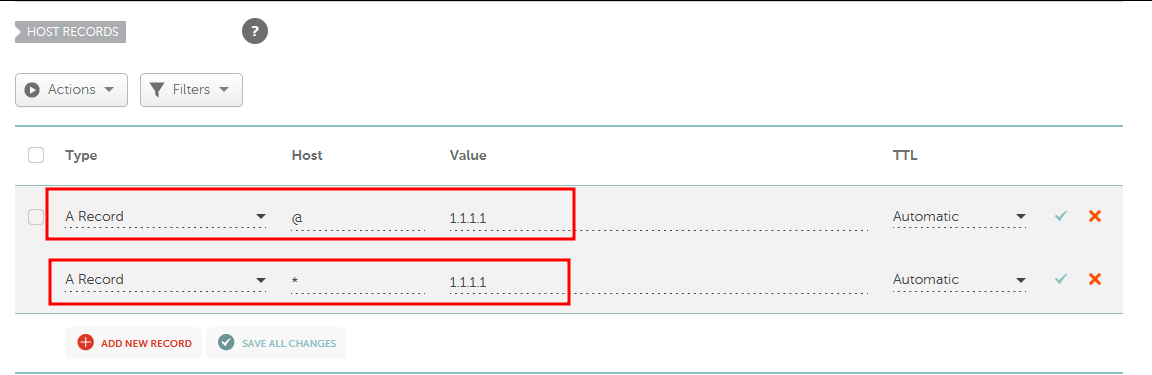
Minimum requirement: one record for the root domain. For subdomains, use at least two records:
- One binds the root domain to your node
- The second binds all subdomains (wildcard) to your node

Note: some registrars do not support wildcard records.
NS Propagation#
DNS changes require 15 minutes to 24 hours for global propagation. Certificates are generated automatically once the conditions are met.